Home Assistant integration
smart-MAIC devices support integration with Home Assistant.
Integration is performed using Home Assistant MQTT Discovery.
When connected to Home Assistant, smart-MAIC devices automatically create all required entities for data visualization.
To connect smart-MAIC device to Home Assistant, the following is required:
- installed Home Assistant server
- installed and configured MQTT Mosquitto broker in Home Assistant
- MQTT Discovery feature enabled
- MQTT broker parameters configured in the device web interface
Enable Home Assistant Discovery:
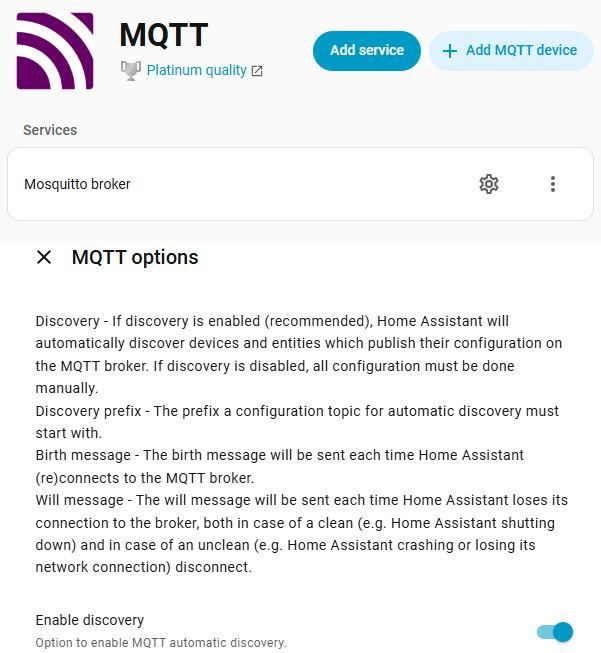
Go to Settings > Devices & services. Find the MQTT integration and select it.
To open the MQTT discovery options page, select the Configure MQTT Options button. Find a checkbox or toggle for "MQTT Device Discovery" or "Use Home Assistant MQTT Discovery" and turn it on.
Configuring MQTT in the device’s web interface
In the smart-MAIC device web interface, open the “MQTT client” tab and configure the following settings:
- Specify the IP address or hostname of the MQTT server
- Specify the MQTT server port (default: 1883)
- Enter the Username and Password
- Enable the “Home Assistant” checkbox
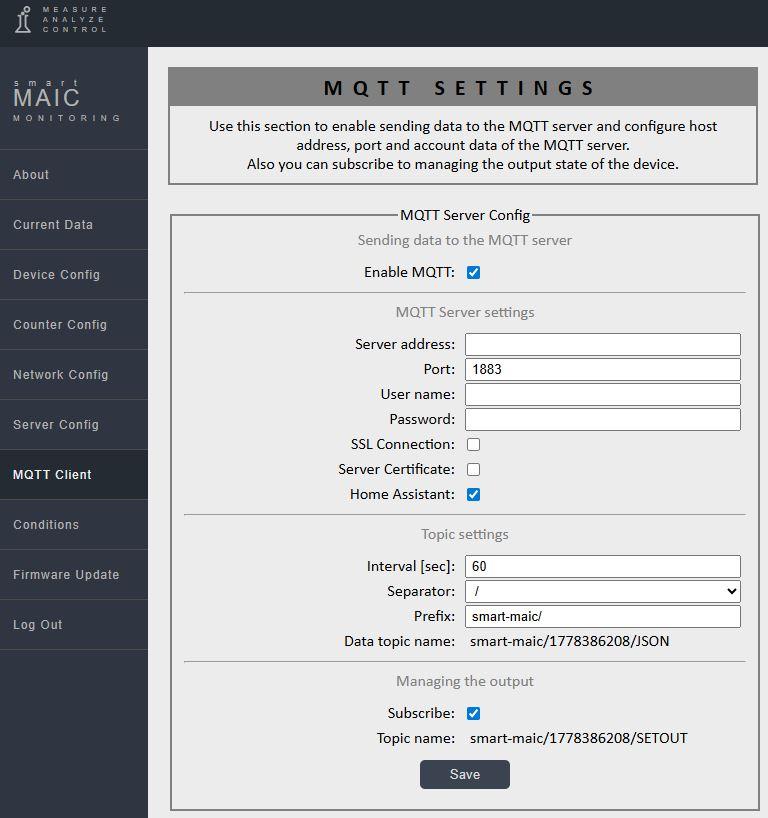
When the “Home Assistant” checkbox is enabled, the following settings will be changed automatically:
- Prefix : «smart-maic/»
- Separator : «/»
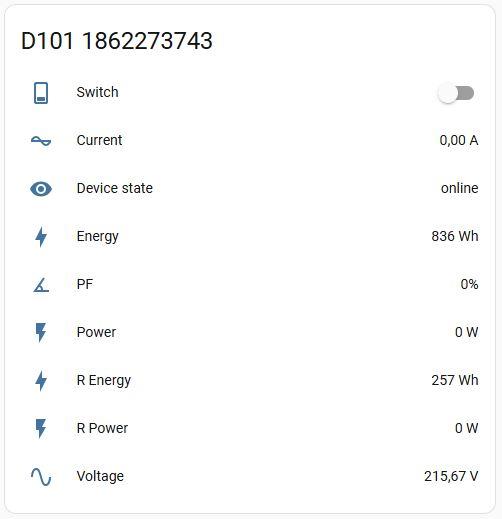
MQTT Discovery settings published once each time the device is powered on.
A new device will automatically appear in Home Assistant.
Support for Home Assistant MQTT Discovery is implemented on the following devices:
- D101 G2 firmware v0.022 and above
- D101 G3 firmware v0.008 and above
- D103 G2–G3 firmware v0.038 and above
- D103 G4 firmware v0.008 and above
- D105 G3 firmware v0.017 and above
- D105 G4–G5 firmware v0.020 and above
- E2 G1 firmware v0.003 and above
Customer support service by UserEcho